Mail service
Secure email with modern encryption.
Open-Lime Mail Service is now live. Use Webmail directly, or add your mailbox to your favorite client with encrypted IMAP/SMTP.
Connection settings
Incoming mail (IMAP over TLS)
- Server: mail.openlime.xyz
- Port: 993
- Security: TLS/SSL
- Authentication: Full email + password
Outgoing mail (SMTP over SSL)
- Server: mail.openlime.xyz
- Port: 465
- Security: SSL/TLS
- Authentication: Required
Autoconfig and Autodiscover
Open-Lime Mail supports automatic client provisioning. If your client supports Autoconfig or Autodiscover, use your full Open-Lime email address and password first. The client should fill in server settings automatically.
Autoconfig (Mozilla-style)
- Incoming: mail.openlime.xyz:993 (SSL)
- Outgoing: mail.openlime.xyz:465 (SSL)
- Username: Full email address
Autodiscover (Outlook-style)
- Incoming: mail.openlime.xyz:993 (SSL)
- Outgoing: mail.openlime.xyz:465 (SSL)
- Authentication: Required on both directions
Mailbox requests moved to the homepage
The request system now lives on the start page with a modern CAPTCHA and animated flow for better visibility.
Open request sectionAdd the account on different clients
The following images are original Open-Lime diagrams created for this project. They are license-safe and contain no third-party copyrighted screenshots.
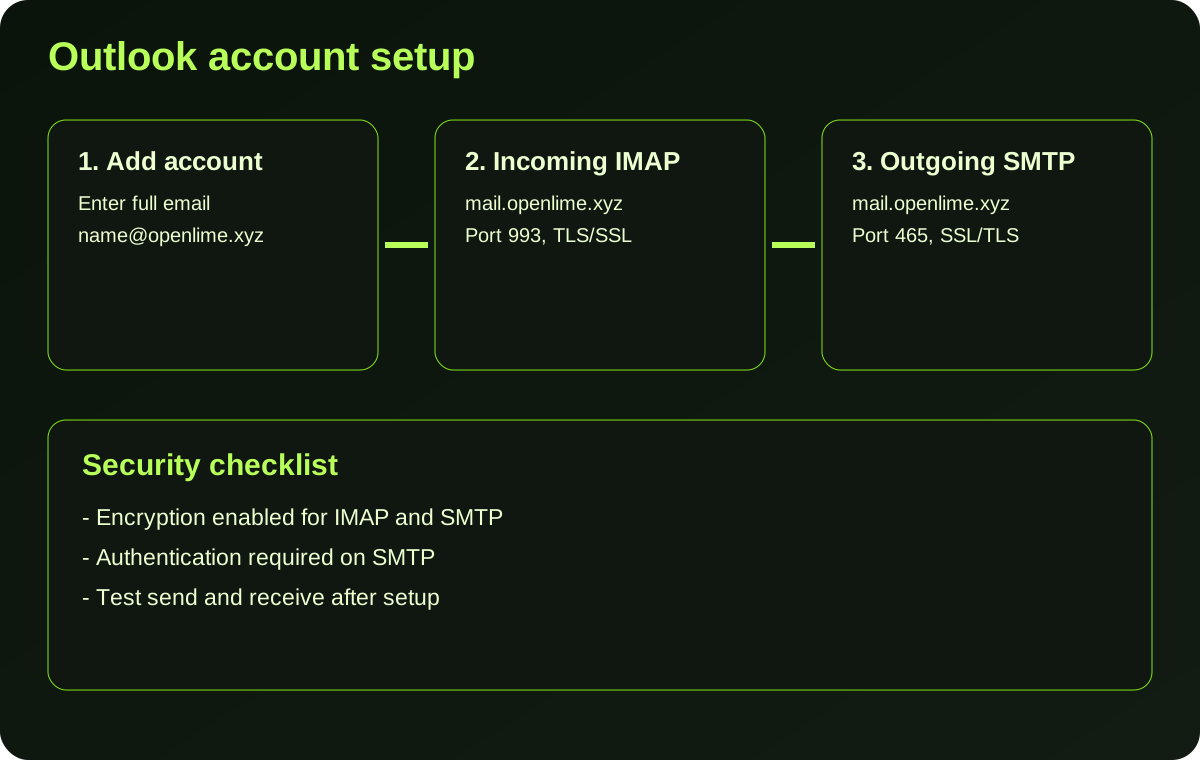
Microsoft Outlook
- Open Account Settings and choose Add account.
- Enter your full Open-Lime email address.
- Select manual setup and choose IMAP.
- Use the IMAP/SMTP settings shown above.
- Enable encrypted connection for both incoming and outgoing mail.
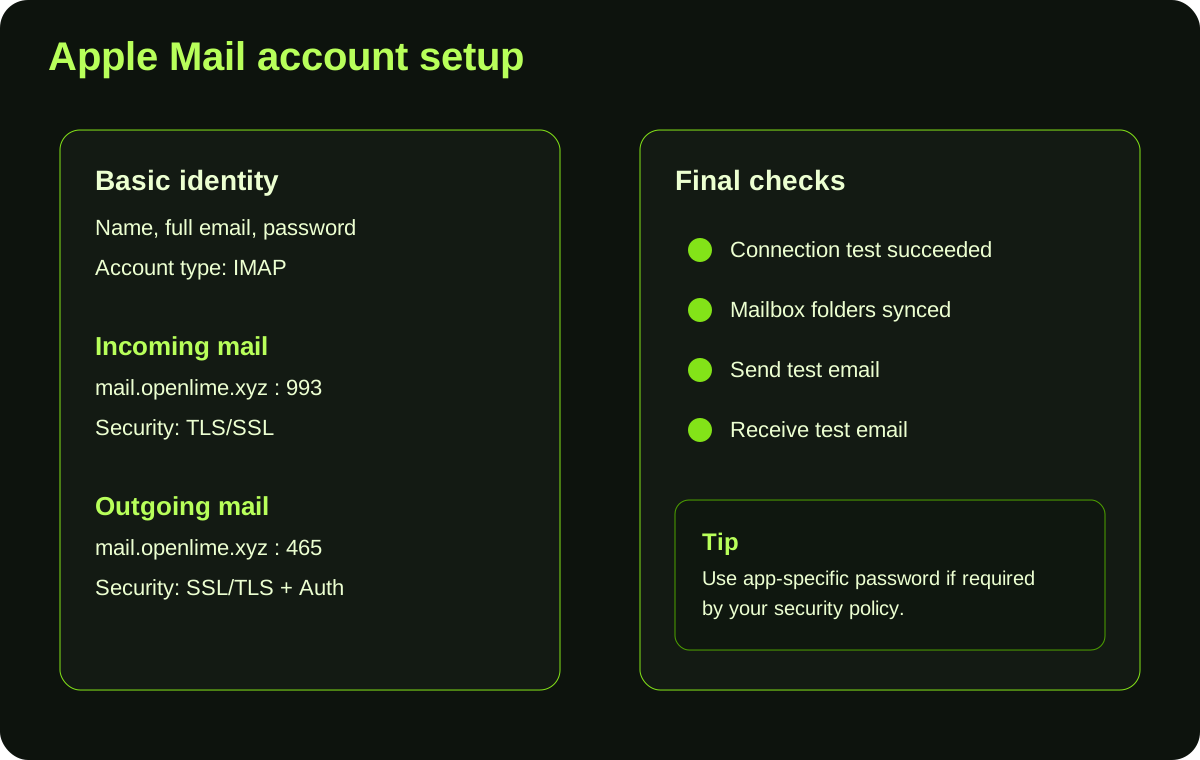
Apple Mail (macOS or iOS)
- Open Mail settings and tap Add Account.
- Choose Other Mail Account and fill in your email details.
- For incoming mail, set IMAP server and TLS.
- For outgoing mail, set SMTP with SSL/TLS and authentication.
- Save and send a test message.
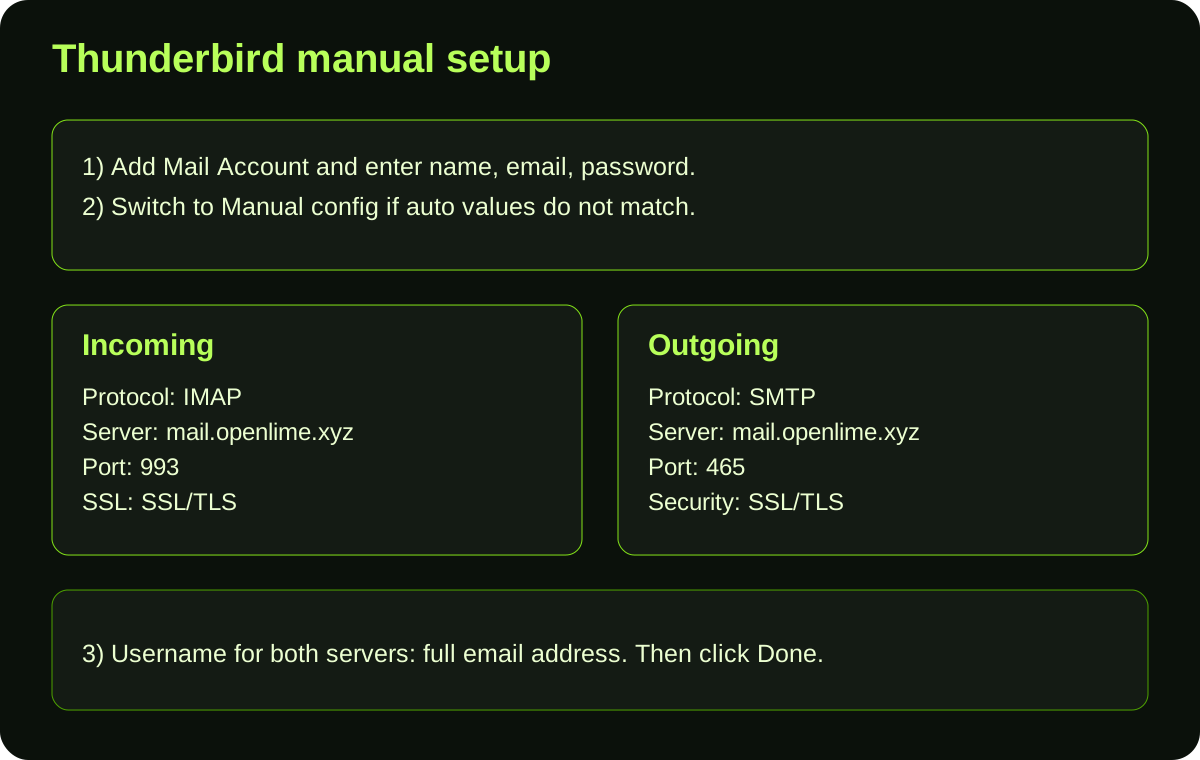
Mozilla Thunderbird
- Go to Account Settings and click Add Mail Account.
- Enter your name, Open-Lime email address, and password.
- Switch to manual config if auto-discovery differs.
- Set IMAP 993 with SSL/TLS and SMTP 465 with SSL/TLS.
- Confirm and verify by sending and receiving a message.